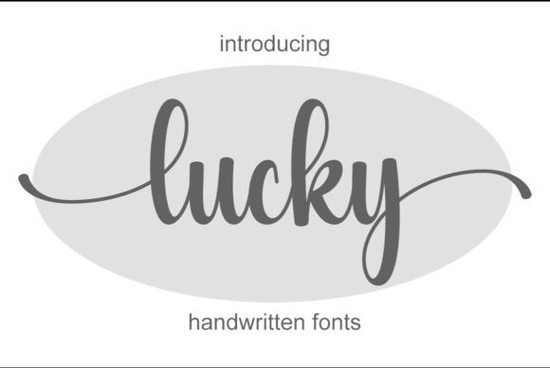
If you're looking for a handwritten font that blends elegance with everyday usability, Lucky Font is worth a closer look. It’s light, refined, and carries just enough personality to stand out without overwhelming your design. Whether you’re crafting wedding invitations, designing social media graphics, or building a small business brand, Lucky offers the kind of versatility that makes it easy to use across projects.
What sets Lucky apart is its delicate stroke contrast and natural flow qualities that mimic real handwriting but with consistent spacing and clean lines. This balance makes it especially useful for creators who want something personal yet polished. Plus, it’s PUA encoded, which means all the extra glyphs, swashes, and alternate characters are accessible right from your design software without needing special plugins or workarounds.
When should you use a delicate script like Lucky?
Lucky works best in designs where warmth and sophistication matter more than bold impact. Think:
- Wedding stationery – invitations, place cards, menus
- Branded packaging – labels for candles, skincare, or artisanal goods
- Social media quotes or inspirational posts
- Business cards for freelancers, photographers, or boutique owners
- Product mockups for print-on-demand items like mugs, tote bags, or greeting cards
It’s not ideal for body text or situations requiring high readability at small sizes, but as a display font, it adds charm without clutter.
How does Lucky compare to other handwritten fonts?
Among Creative Fabrica’s wide collection of script fonts, Lucky sits comfortably in the “casual elegance” zone. It’s less bouncy than something like a rainbow-themed script, and more refined than many casual handwriting fonts that lean toward sketchy or informal styles. If you’ve used fonts like Black Sample, you’ll notice Lucky has softer terminals and lighter weight, making it better suited for feminine or minimalist aesthetics.
For seasonal projects, you might pair it with more thematic options like using a Christmas lights font for holiday headers while keeping Lucky for supporting text. Or during the holidays, you could layer it subtly under a bolder Christmas script to add depth without visual noise.
Why PUA encoding matters for designers
Many decorative fonts come with alternate characters, ligatures, or flourishes but accessing them can be a hassle if the font isn’t properly encoded. Lucky’s PUA (Private Use Area) encoding means these extras are mapped to standard keys, so you can easily switch between stylistic sets in programs like Adobe Illustrator, Photoshop, or even Canva (with OpenType support). No digging through glyph panels or copying-pasting from PDF charts.
This feature saves time, especially when you’re creating multiple variations of a design say, for a product line or client revisions. You get creative flexibility without technical friction.
Tips for using Lucky effectively
To get the most out of this font, keep a few things in mind:
- Avoid tight spacing. Let the letters breathe tracking slightly above default often enhances its airy feel.
- Pair it with a neutral sans-serif. Fonts like Montserrat, Lato, or even system fonts like Helvetica provide clean contrast without competing.
- Use alternates intentionally. Not every word needs a swash reserve them for key words like names or headlines.
- Test print output. Because of its thin strokes, Lucky may not reproduce well on low-resolution printers or textured paper unless sized appropriately.
Small businesses and crafters often overlook how font choice affects perceived quality. A thoughtful typeface like Lucky signals care and attention even on a simple thank-you tag or digital ad.
Ready to try it?
If your current font library leans too generic or overly bold, Lucky offers a graceful middle ground. It’s available on Creative Fabrica with a commercial license, so you can use it confidently for client work or shop products.
Before downloading, ask yourself:
- Do I need a soft, elegant script for branding or special occasions?
- Will my audience respond well to a handwritten but not messy look?
- Am I comfortable adjusting tracking or using OpenType features to access alternates?
If yes, Lucky could become a go-to in your toolkit especially when you want your designs to feel human, not corporate.
Explore Design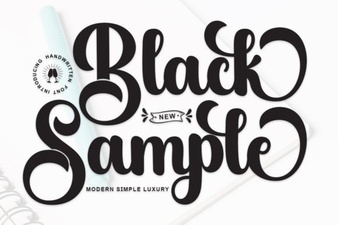 Unleash Design Ideas with the Black Sample Font
 Wintersnow Font: a Unique Cold and Clean Typography Choice
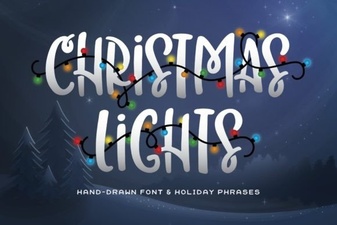 Light Up Your Holidays with Festive Font Designs
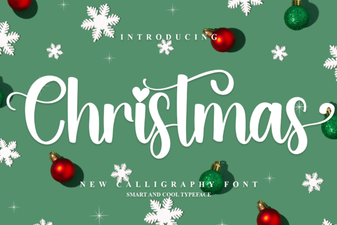 Festive Typography for Holiday Projects
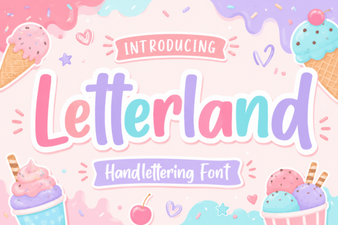 Letterland Font: Creative Ideas for Teachers & Parents
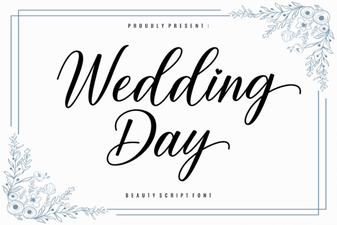 Wedding Day Fonts for Your Invitation Suite Design